Creating your own avatar has become one of the most practical ways to build a consistent digital presence without relying on traditional video recording. Instead of appearing on camera every time you want to create content, you can design a personalized avatar that represents you and delivers your message across multiple videos. This approach combines convenience with scalability, making it ideal for modern content creation.
In 2026, avatars are widely used across YouTube channels, online courses, marketing campaigns, and social media platforms. They allow creators to maintain a human-like presence while removing the need for cameras, lighting setups, and repeated filming sessions. This makes the entire content creation process more efficient and easier to manage.
When you create your own avatar, you are essentially building a digital version of yourself or your brand. This avatar can speak, express emotions, and present content in a consistent manner. Over time, this consistency helps establish recognition, making your content more memorable and engaging for your audience.
Platforms like Zoice simplify the process by organizing it into clear steps. Instead of dealing with complex tools or animation techniques, you can follow a structured workflow that includes avatar creation, voice setup, and video generation.
Why Create Your Own Avatar?
One of the biggest reasons to create your own avatar is to avoid being on camera. Not everyone is comfortable recording videos, and even for those who are, it can be time-consuming. An avatar allows you to maintain a presence without needing to film yourself repeatedly.
Another important advantage is scalability. Once your avatar is created, you can reuse it across multiple videos. You don’t need to set up or record again for each piece of content, which saves a significant amount of time and effort.
Consistency is also a key benefit. Using the same avatar across your videos helps build a recognizable identity. Your audience becomes familiar with your style, which improves engagement and retention.
This method also offers flexibility. You can create content at any time without worrying about recording conditions such as lighting, background, or noise. If you need to update a video, you can simply modify the script and regenerate it.
Additionally, it reduces production costs. There is no need for expensive equipment or editing software. Everything is handled through AI, making it accessible for creators at any level.
Steps to Create Your Own Avatar Using Zoice
Before starting, it’s important to understand that creating an avatar involves three main stages: setting up your visual identity, defining your voice, and generating videos using your avatar. Following this structured process ensures better quality and consistency.
Step 1 – Log into Zoice Dashboard
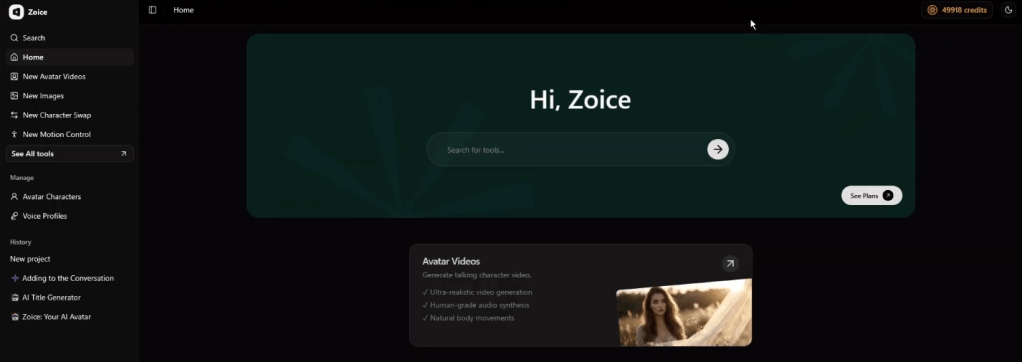
Begin by logging into your Zoice account. The dashboard is your central workspace where you can access all features related to avatar creation, voice profiles, and video generation. Take a few minutes to explore the layout so you can navigate easily.
Step 2 – Navigate to Avatar Characters
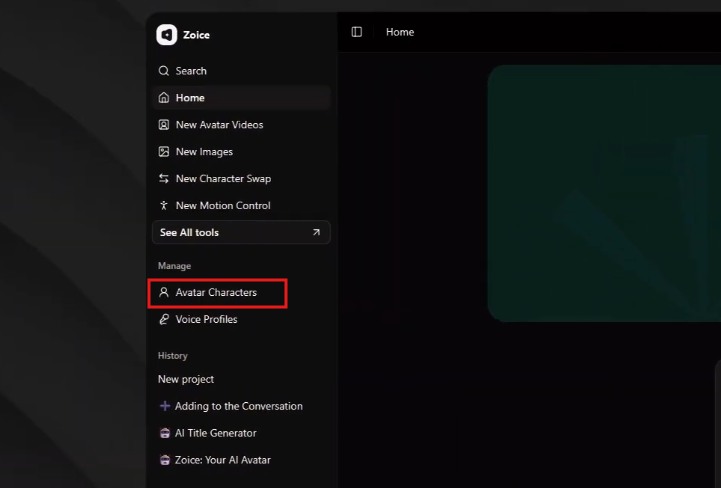
From the left sidebar, click on Avatar Characters. This section allows you to create and manage avatars based on your uploaded images.
Step 3 – Click on Create New
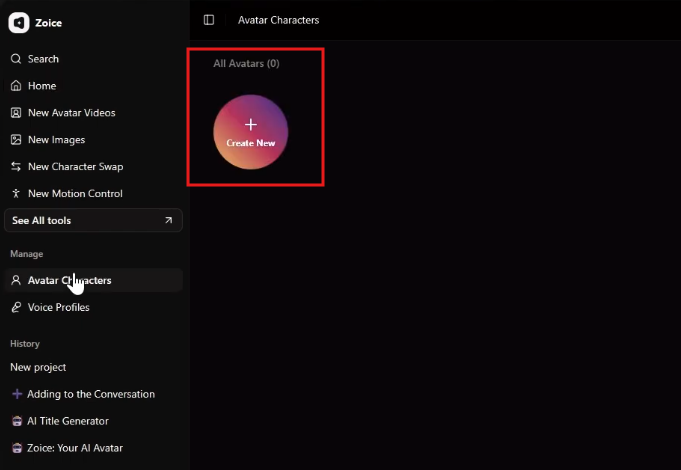
Select the Create New option to begin building your avatar. This will open the setup interface where you can upload your image and configure your avatar.
Step 4 – Upload Your Image
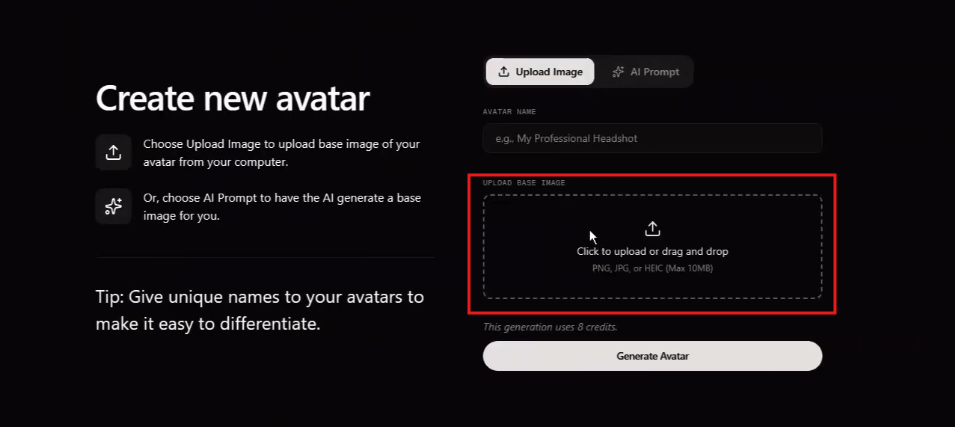
Choose the Upload Image option and select a high-quality, front-facing photo. Make sure the image is clear, well-lit, and free from heavy shadows or obstructions. The quality of the image directly affects how realistic your avatar will appear.
Step 5 – Name Your Avatar

Assign a name to your avatar so you can easily identify it later. This is especially useful if you plan to create multiple avatars for different purposes.
Step 6 – Generate the Avatar
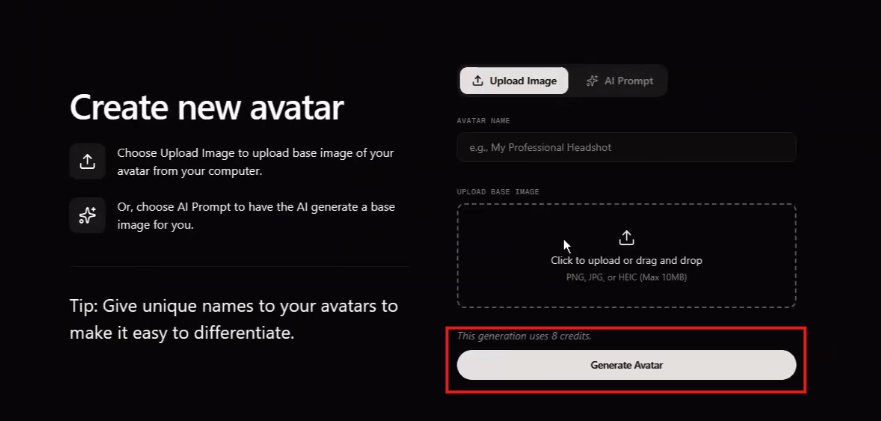
Click Generate Avatar and allow Zoice to process your image. During this step, the platform analyzes facial features and prepares the avatar for animation, enabling realistic movements and expressions.
Step 7 – Navigate to Voice Profiles
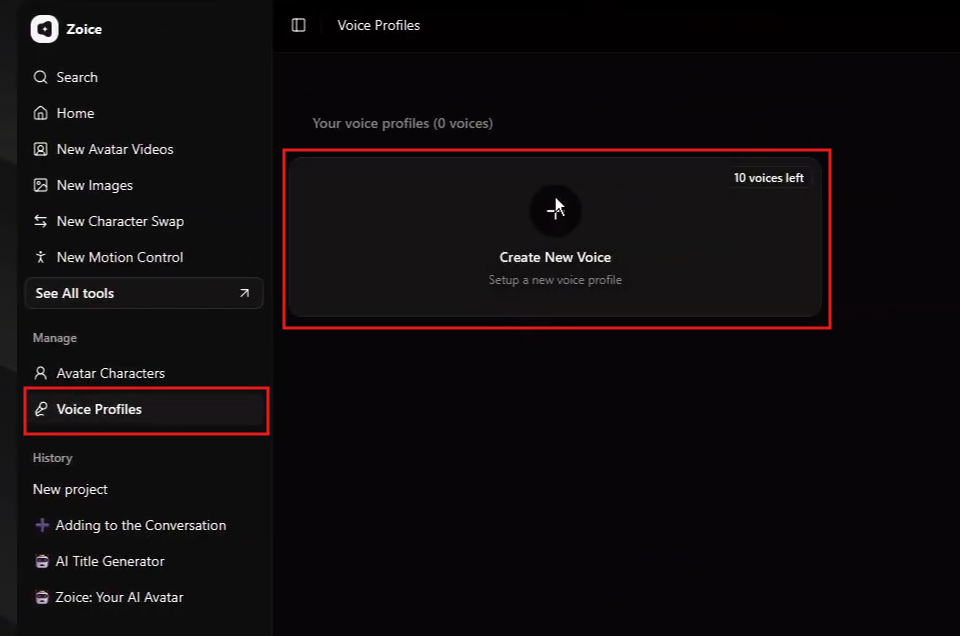
Once your avatar is ready, go to the Voice Profiles section. This is where you define how your avatar will sound.
Step 8 – Upload or Create Voice
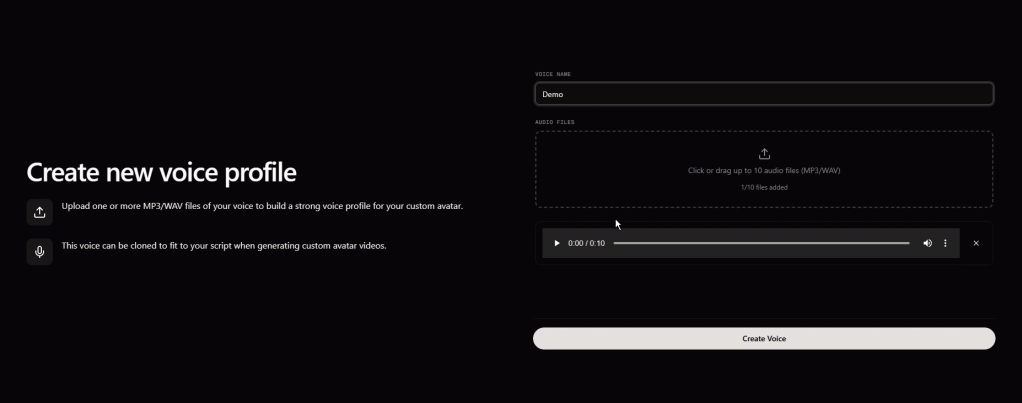
You can upload a voice sample or select from AI-generated voices. After choosing your preferred option, assign a name and save it as a voice profile. Choose a voice that matches your personality or brand style.
Step 9 – Open New Avatar Videos
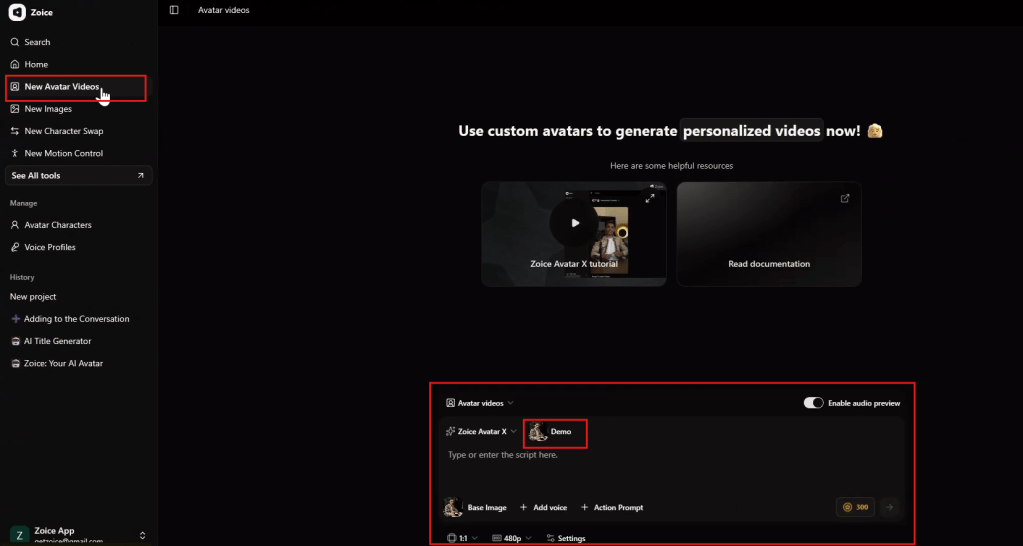
Navigate to New Avatar Videos to start creating videos using your avatar. This is where you combine your avatar, voice, and script.
Step 10 – Add Script
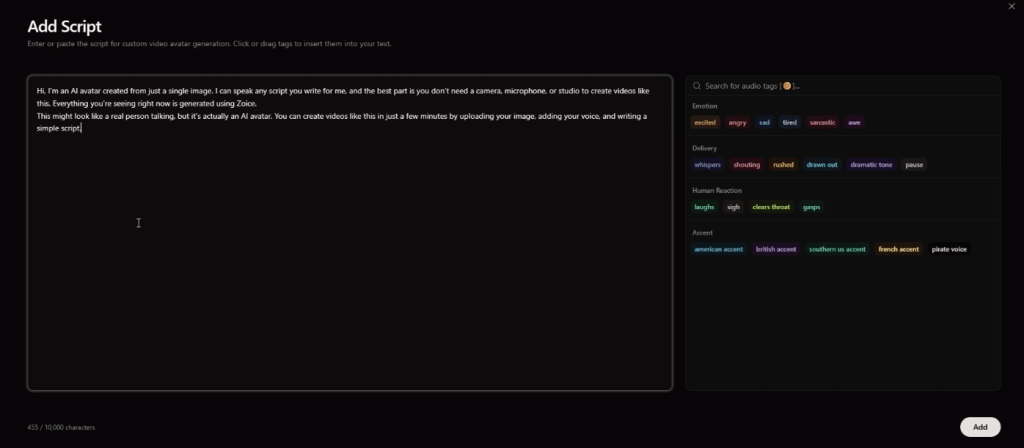
Enter your script into the text field. This is what your avatar will speak in the video. Writing in a natural and conversational tone will improve the overall quality of the output.
Step 11 – Adjust Expressions and Delivery
Customize emotional tones and reactions to match your script. This helps make your avatar more engaging and aligned with your content.
Step 12 – Select Voice Profile
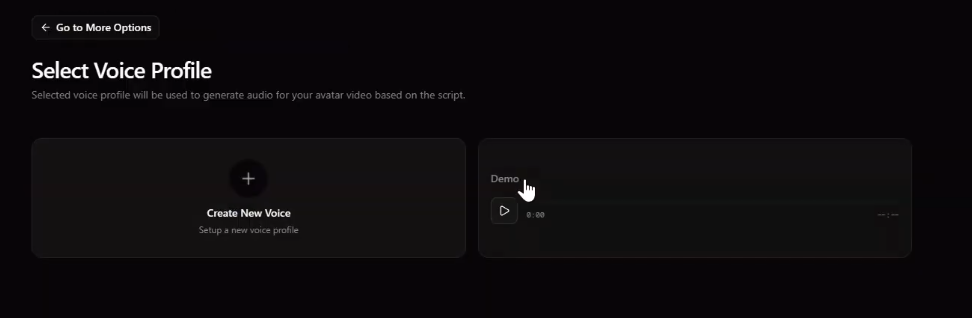
Choose the voice profile you created earlier. This ensures consistency in tone and delivery across all your videos.
Step 13 – Configure Video Settings
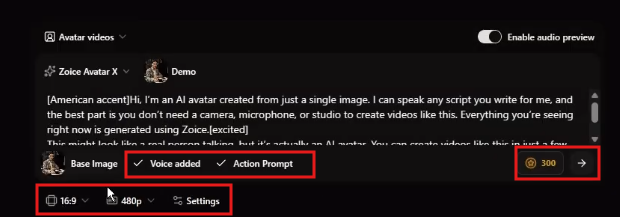
Adjust settings such as resolution, format, and aspect ratio. For YouTube, a 16:9 format is recommended, while 9:16 works best for short-form platforms.
Step 14 – Generate Final Video
Click Generate to create your video. Zoice will process your inputs and produce a video where your avatar speaks with synchronized voice and expressions.
Conclusion
Creating your own avatar has become a powerful way to simplify and scale content creation in 2026. It allows you to produce consistent, high-quality videos without relying on traditional recording methods.
By combining a single image, a voice profile, and a well-written script, you can build a strong digital identity and create engaging content across multiple platforms. This makes it an ideal solution for faceless YouTube channels, social media content, and automated video strategies.
Zoice provides a structured workflow that makes the entire process efficient and repeatable. From creating your avatar to generating complete videos, every step is designed to help you scale your content production with ease.
FAQs
What does it mean to create your own avatar?
It means building a digital character that represents you using AI.
Do I need technical skills to create an avatar?
No, the platform handles the process automatically.
What type of image should I use?
A high-quality, front-facing image with good lighting works best.
Can I use the same avatar for multiple videos?
Yes, once created, your avatar can be reused across multiple videos.
Is this suitable for YouTube and social media?
Yes, avatars are widely used for various types of content.
Why use Zoice for creating avatars?
Zoice offers realistic animation, voice customization, and a structured workflow for scalable content creation.


Leave a Reply